What the ad group default bid is
Every Amazon Ads campaign has one or more ad groups. Each group has a default bid (in Seller Central, the group's "Default bid"). It is the value Amazon uses in the auction for the group's keywords and targets that have no bid of their own.
- Keyword with its own bid: uses its own bid. The default bid does not interfere.
- Keyword or target without its own bid: uses the group's default bid.
- It is not a cap: an own bid of $0.50 stays $0.50, even with a $0.30 default bid.
The campaign bidding strategy (for example, "down only") and placement adjustments still apply on top of the bid, whether it is the keyword's own bid or the default.
When it applies (and when it changes nothing)
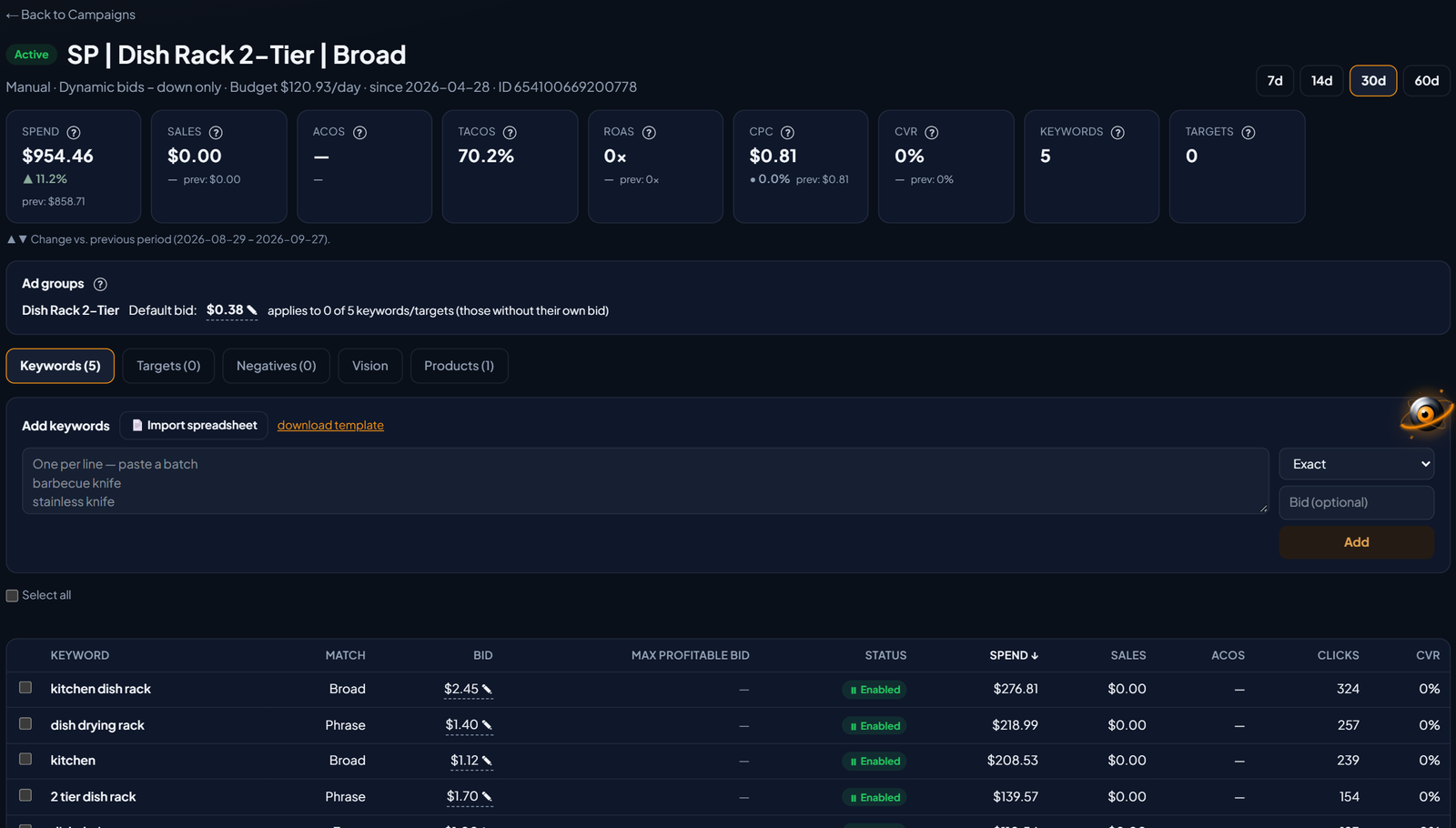
Before changing the default bid, check how many keywords and targets depend on it. EcomVision shows this next to each group:
Campaigns created with a bid on each keyword (like the ones EcomVision creates) usually show "0 of N". There, each keyword's bid is what counts. In automatic campaigns, or with keywords added without a bid, the default bid makes a difference.
How to change it in Sponsored Products
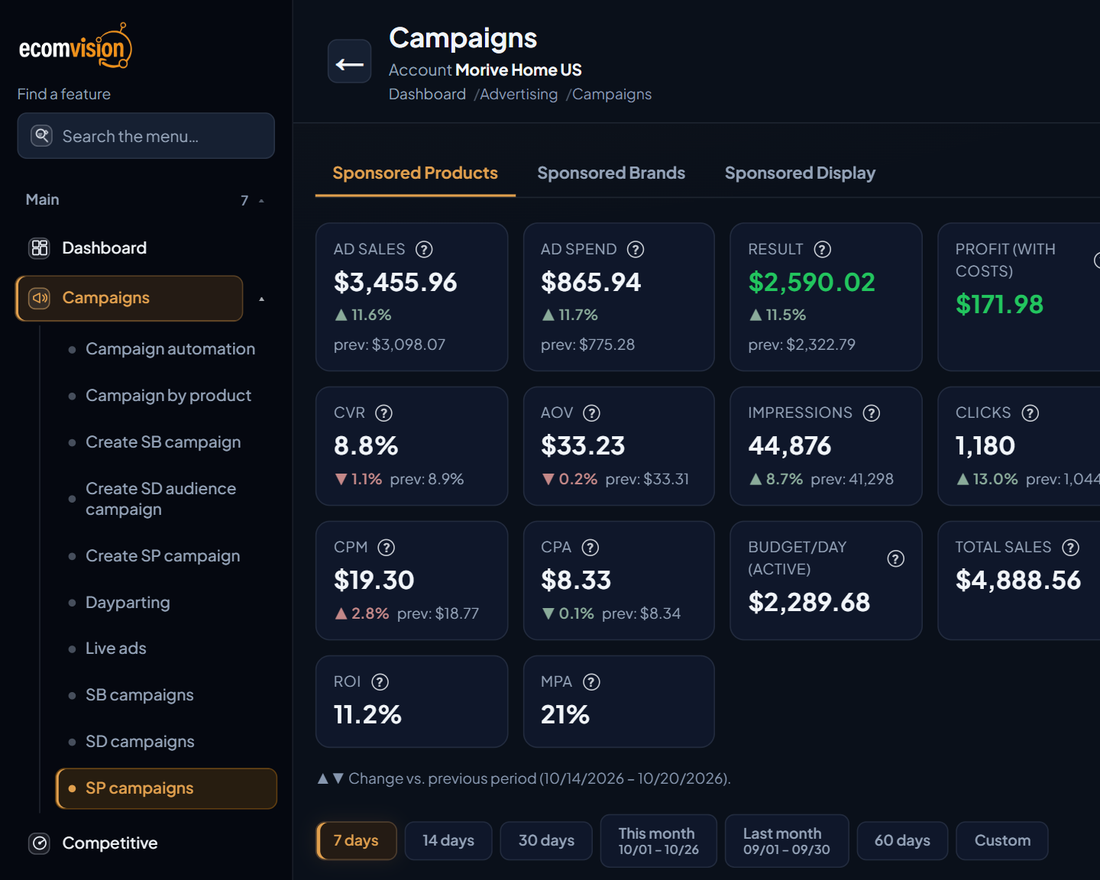
- In the menu, open Campaigns › SP campaigns and click the campaign name.
- Right below the campaign numbers is the Ad groups box. Each group shows its Default bid and how many keywords and targets it applies to.
- Click the value, type the new bid (minimum 0.02) and press Enter. Esc cancels.
- The new bid is saved to your Amazon account right away. Rows that use the default ("$X · default") already show the new value.
Every change is recorded in the Change log as "Ad group default bid", with the before and after values. Read-only users see the default bid but cannot change it.
How to change it in Sponsored Display
- In the menu, open Campaigns › SD campaigns. The list comes straight from Amazon.
- On the campaign row, click Default bid ▾. EcomVision reads that campaign's ad groups and shows each one's default bid, with "applies to N of M targets".
- Click the value, type and press Enter. The bid is saved on Amazon and the change shows in the Change log with "(Display)".
Watch the cost type: on a Display campaign with vCPM (cost per thousand viewable impressions), the bid is per thousand impressions, not per click. EcomVision tells you when that is the case.
Asking Vision
You can also ask Vision, EcomVision's AI:
- "Change the default bid of the Dish Rack campaign to $0.40." It builds a card with one line per ad group, showing the current and the new bid.
- Nothing changes until you click Apply. You can untick the groups you do not want to change.
- For safety, Vision does not raise a bid more than 5 times at once and respects the 0.02 minimum.
- For Display, say the campaign name. If the name matches more than one campaign, it asks for the full name.
And if the question is "is the default bid a cap on my keywords?", it explains the difference before changing anything.
SP, SB and SD campaigns shortcuts
The Campaigns menu now has one shortcut per campaign type: SP campaigns (Sponsored Products), SB campaigns (Sponsored Brands, formerly SB dashboard) and SD campaigns (Sponsored Display). Each opens the list on the right tab, and the item is highlighted in the menu.