
What changed in the report
Before, the report showed only FBA stock. A product sold by own fulfillment (FBM) or DBA showed Available 0 and 0 days of cover, even with units at home. Now the report shows the three numbers side by side, each with its own units:
- Available (FBA): what is in Amazon's fulfillment centers and can be sold now;
- Inbound: what you sent to Amazon that is not available yet;
- Own stock (FBM): the units you keep and ship yourself.
To see it, open Reports / Analytics › Inventory and idle capital in the account.
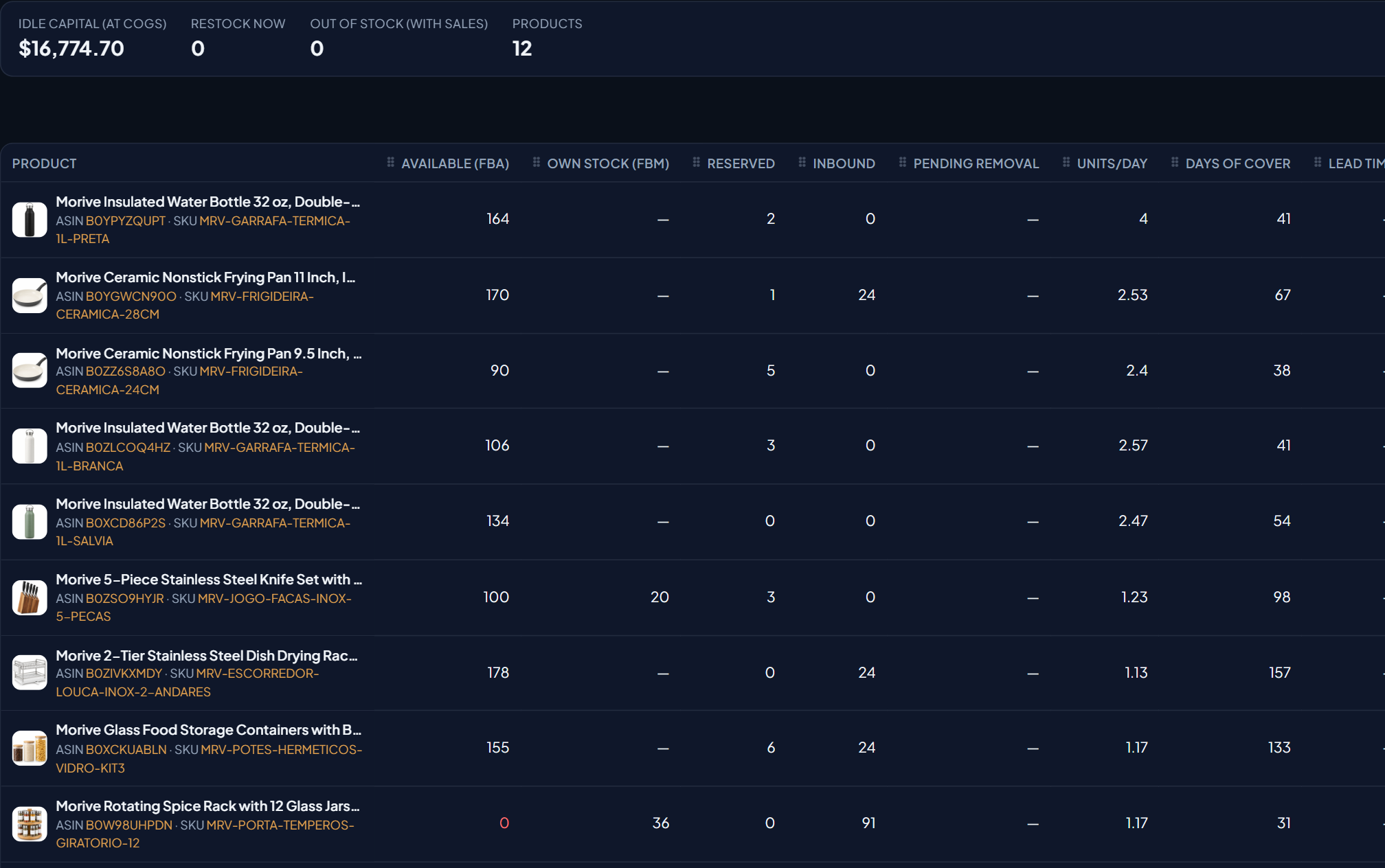
The stock numbers, one per column
| Column | What it is | Counts in days of cover? |
|---|---|---|
| Available (FBA) | Units ready to sell in Amazon's fulfillment centers | Yes |
| Own stock (FBM) | Quantity of the own-fulfillment or DBA listing in Seller Central | Yes |
| Reserved | FBA units set aside for orders and transfers | No |
| Inbound | Units sent to Amazon that are still in transit or being received | No |
| Pending removal | FBA units in the process of being removed | No |
A product sold only through FBA shows “—” under Own stock. FBM only applies to an active listing that is not FBA.
How and when the number updates
Amazon lowers the listing quantity with each own-fulfillment order. EcomVision reads that quantity in Seller Central. It does not change anything on Amazon. The read happens at three moments:
| When | What is read |
|---|---|
| Every 2 hours, from 9:15 am to 9:15 pm (Brasília time) | FBA stock and own stock (FBM), product by product |
| Every day at 6:30 am | Daily listings collection, with own stock |
| When you click Sync in the account | Full sync. There is a 5-minute wait between clicks |
So an own-fulfillment sale can take up to 2 hours to lower the number in the report. A sale made after 9:15 pm only shows at 6:30 am, or as soon as you click Sync. If a read fails, the report keeps the last value it read. It does not drop to zero.
Each column has a tooltip on its title explaining how the number is updated. Hover over the title to read it. Over the FBM number, the tooltip shows the time of the last read.
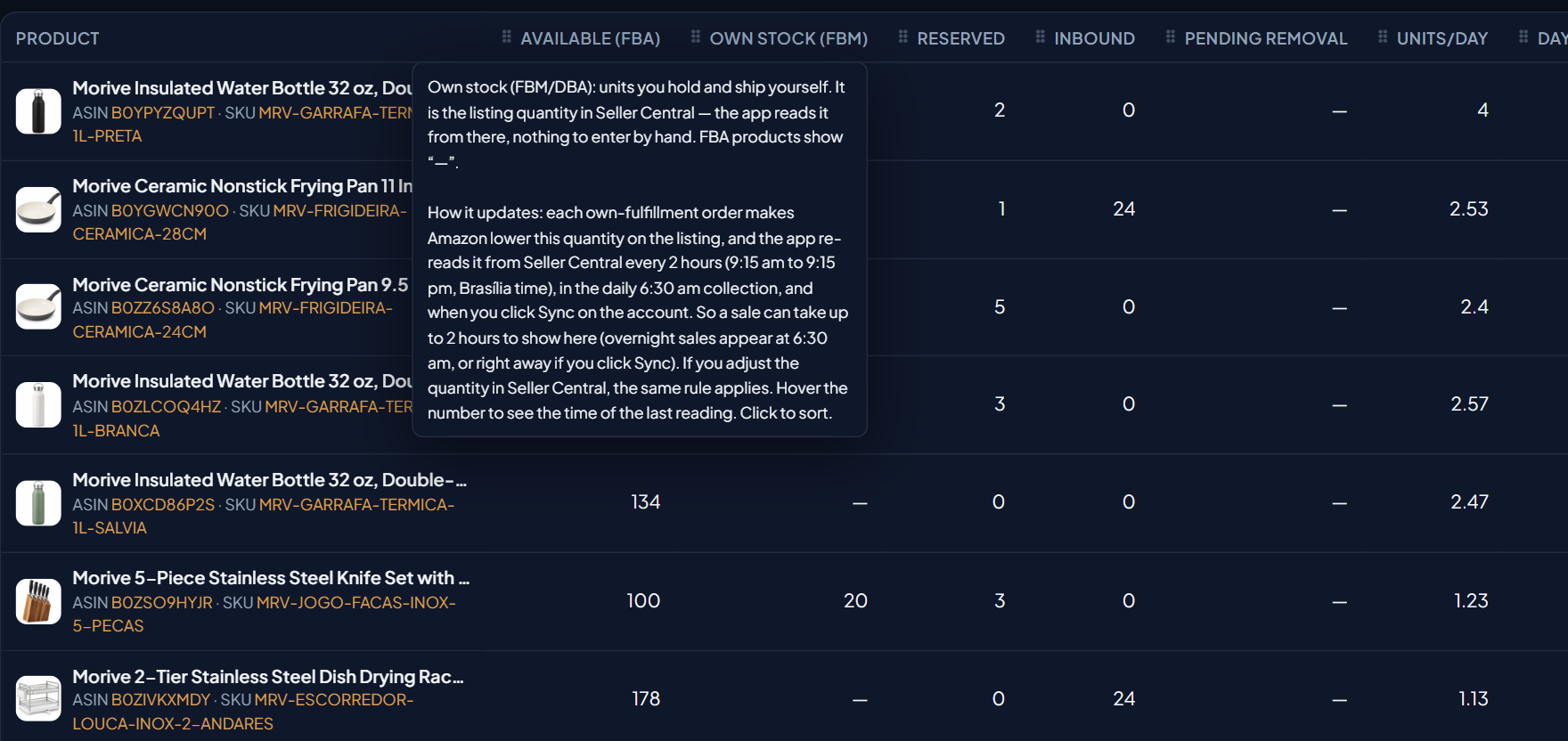
What changes in days of cover and idle capital
Days of cover, idle capital, Restock now and Out of stock (with sales) now use the stock you can sell right now: Available (FBA) plus Own stock (FBM).
Example from the demo account: the Knife Set has 100 units in FBA, 20 in own stock and sells 1.23 per day. That is 120 units to sell, or 98 days of cover. Without adding FBM, the report would show 81 days. The Spice Rack has FBA 0, 36 own units and sells 1.17 per day: 31 days of cover, and it is not flagged as out of stock.
Idle capital follows the same math: FBA plus FBM, multiplied by the unit cost (COGS). Inbound is in none of these calculations, because it cannot be sold yet.
The same rule on other screens
- Account-group dashboards: “Out of stock” only counts a product with both FBA and FBM at zero.
- Push Reports (email and Telegram): the Out-of-stock products section does not alert on an own-fulfillment product with units at home.
- Download Excel: the report spreadsheet includes the Own stock (FBM) column.
- Stock protection: while there is FBM stock to sell, it does not pause the product's ads, even with FBA at zero.
How to check against Seller Central
- In Seller Central, open the product in Manage Inventory and note the quantity of the own-fulfillment listing.
- In EcomVision, click Sync in the account and wait for it to finish.
- Open Reports / Analytics › Inventory and idle capital and find the product by ASIN or SKU. Own stock (FBM) should show the same quantity.
- Hover over the number to see the time of the read.
- If there is a difference, check that the listing is active and not FBA. If it stays different, contact support and send the ASIN, the SKU and both quantities.