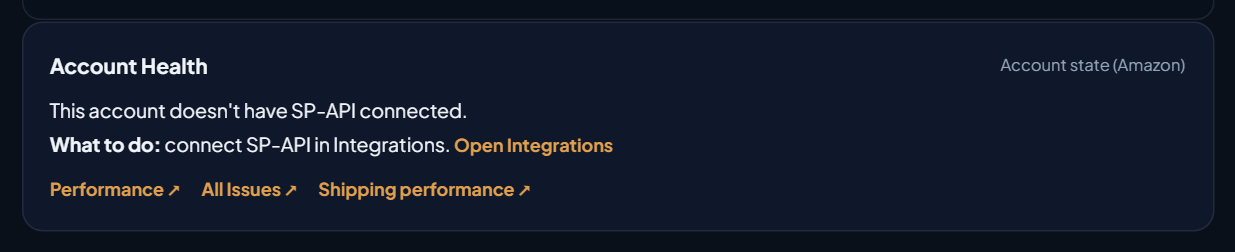
Where the card is
In the side menu, open Main › Dashboard and scroll down. The Account Health card sits right below the evolution chart, before Product ranking. It exists on Seller accounts, because Amazon only offers the health report for that type of account.
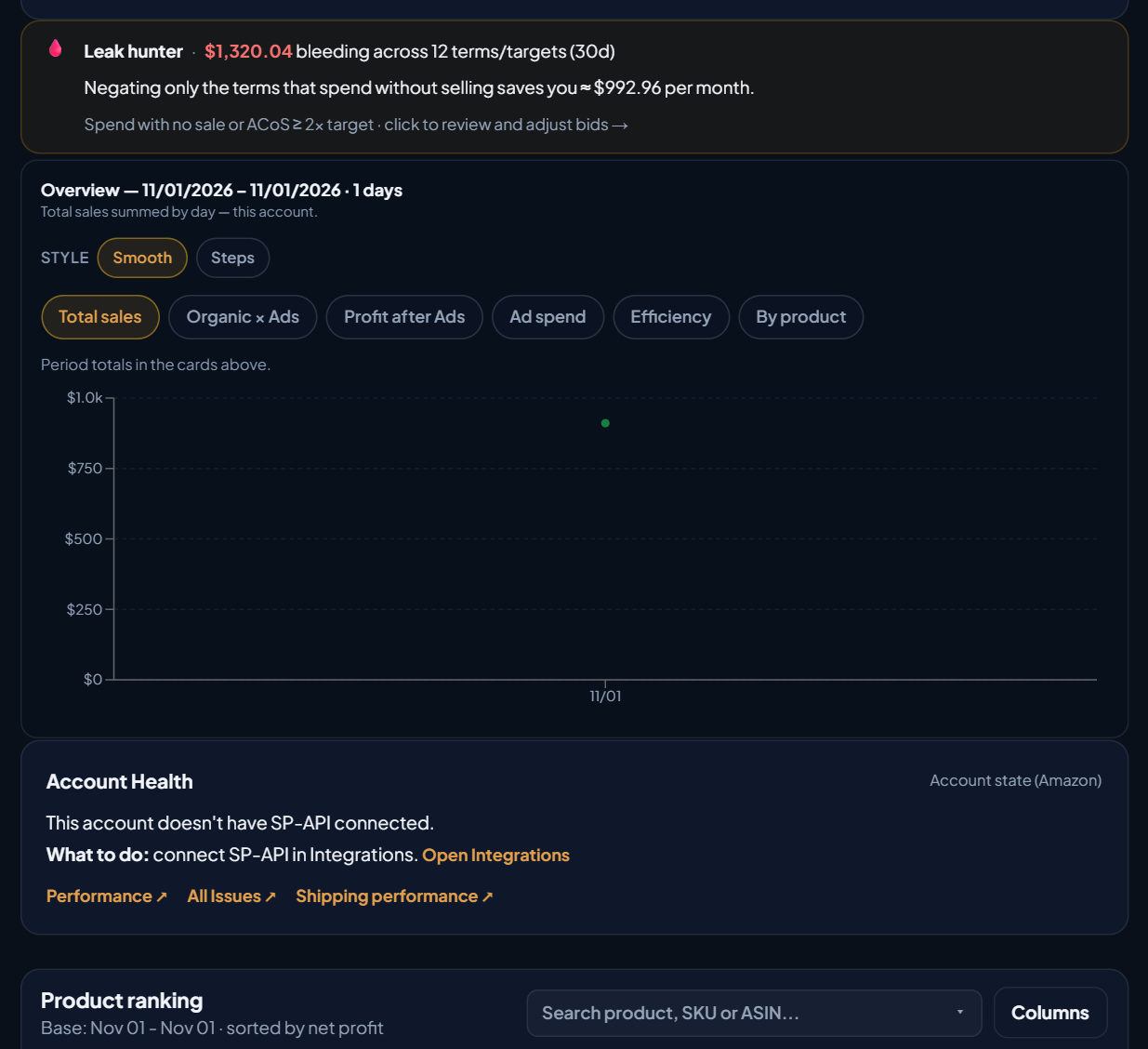
What the card shows when all is well
With an up-to-date reading, the card mirrors Amazon's Account Health:
| On the card | What it means |
|---|---|
| Light: Healthy, Warning or At risk | Green: healthy account and no metric off target. Yellow: Amazon flags a warning or some metric is off target. Red: account at risk, order defect rate off target or an open policy violation. |
| Score (0 to 1000) | The Account Health Rating that Amazon calculates. |
| Late shipments | Target: below 4%. |
| Pre-fulfillment cancellation | Target: below 2.5%. |
| Valid tracking | Target: above 95%. |
| Order defect rate (ODR) | Target: below 1%. |
| Policy issues (N) | The violations Amazon has flagged on the account, such as intellectual property or authenticity complaints. |
| Performance ↗, All Issues ↗, Shipping performance ↗ | Open the right page in Seller Central. |
| ↻ Refresh | Checks Amazon again. |
A metric off target shows in red. The note "API reading — may differ from the dashboard" is a reminder that the numbers come from the report Amazon delivers through the API and may differ slightly from what Seller Central shows at that moment.
EcomVision checks Amazon once a day and also when you open the card with a reading older than 6 hours. While it checks, the card shows "⏳ Checking Account State on Amazon… (may take up to 1 min)". When the light changes or a metric goes off target, the notice also arrives in Notifications.
When there is no reading: the reason and what to do
Before, when Amazon didn't deliver Account Health, the card only said there was no data. Now it shows the reason and, right below, What to do. The texts on the screen:
| Reason shown on the card | What to do | On the card |
|---|---|---|
| Amazon hasn't granted EcomVision the Account Health permission (Selling Partner Insights). | reconnect SP-API in Integrations accepting all permissions. If it continues, contact EcomVision support. | Open Integrations · Check now |
| The SP-API connection with Amazon expired or was revoked. | reconnect SP-API in Integrations. | Open Integrations · Check now |
| Amazon limited requests for a few minutes. | nothing. EcomVision tries again on its own. | Check now |
| Amazon didn't respond on the last attempt. | nothing. EcomVision tries again on its own. | Check now |
| Amazon couldn't generate the health report for this account. This happens with new accounts or no recent sales. | try again tomorrow. If it repeats, check Account Health in Seller Central. | Check now |
| Amazon took too long to generate the report. | click Check now later. | Check now |
| This account doesn't have SP-API connected. | connect SP-API in Integrations. | Open Integrations |
| This account's marketplace doesn't have the health report in EcomVision yet. | nothing for now. | — |
Texts copied from the app screen. The "On the card" column lists the links and buttons shown with each reason.
A failure that doesn't fix itself, such as a missing permission or an expired connection, is only retried automatically after 24 hours. The others, after 1 hour. Check now tries right away.
How to reconnect SP-API
- On the card, click Open Integrations.
- On the Amazon card, click Reauthorize Amazon (SP-API). If the button doesn't show, use the account list: on the account's row, click More actions and then Reconnect SP-API.
- Sign in with the account's primary user at Amazon and accept all permissions. Account Health depends on the permission Amazon calls Selling Partner Insights.
- Go back to the Dashboard and click Check now on the card. The check can take up to 1 minute.
To understand what this connection is and why Amazon asks for authorization, see What Is the Amazon SP-API and How OAuth Works for Amazon Sellers.
When the most recent check fails
If the most recent check fails but there was a good reading before, the card doesn't go blank. It shows the numbers from the last good reading and, above the metrics, a notice with the date of that reading, the reason for the failure and what to do:
Reading from 10/31/2026, 08:15 AM. The most recent check failed: Amazon limited requests for a few minutes. What to do: nothing. EcomVision tries again on its own.
That way you don't mistake an old reading for a current one, and you don't lose the good reading because of a passing failure. If Amazon's authorization was revoked, the notice says the connection expired and shows Open Integrations, because no new reading will arrive until you reconnect.
Example: the demo account
The EcomVision demo account doesn't have SP-API connected. That is why the card shows "This account doesn't have SP-API connected." and, below it, "What to do: connect SP-API in Integrations.", with the Open Integrations link. The links to Seller Central stay at the bottom of the card.