
How to rename a campaign
- In the menu, open Campaigns and click the Sponsored Products tab.
- Click the ✎ next to the campaign name. The name becomes a text box.
- Type the new name and press Enter (or click the ✓). Esc cancels.
- The Rename campaign on Amazon? window opens, with the current name under From and the new one under To. Check it and click Rename.

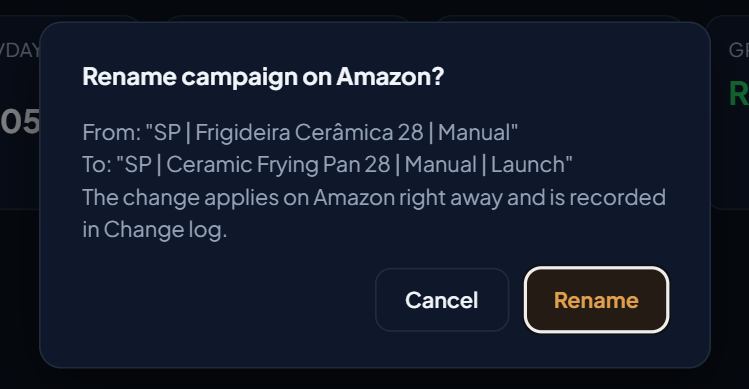
The name stays exactly as you type it
EcomVision saves the name you wrote on Amazon, up to 128 characters, which is Amazon's limit. While you type, the screen shows how many characters are left; go over the limit and it warns you, and the name is never cut silently. Repeated spaces are reduced to one.
What about the date and time at the end of the name?
When the app changes a campaign (budget, state, bid and other actions), it marks the end of the name with the date and time of the change, in the format - 10/23/2026 09:00 EV. When you rename, the name stays exactly as you wrote it. On later changes made by the app, only the date and time at the end are updated; the rest of the name stays as you left it.
Where it is logged
Every rename appears in the Change log (System menu), on the Activity tab, as Rename campaign, with the previous name kept. If Amazon refuses the change, the screen shows the error and nothing is logged.
What applies and what does not
- Renaming applies to Sponsored Products campaigns.
- An archived campaign does not have an editable name.
- Users with read-only access cannot rename.
For other changes across many campaigns at once, see how to create campaigns from a spreadsheet and one campaign per keyword in bulk.